
Move work without breaking focus
Change status, labels, and assignees on Linear or GitHub issues with hover shortcuts. Linear also gets quick priority and due-date controls.
 Dayline
Dayline is a native macOS menu bar app that keeps your Google calendars, Linear and GitHub issues, and local notes in one quiet little place — so you always know what's now and what's next.
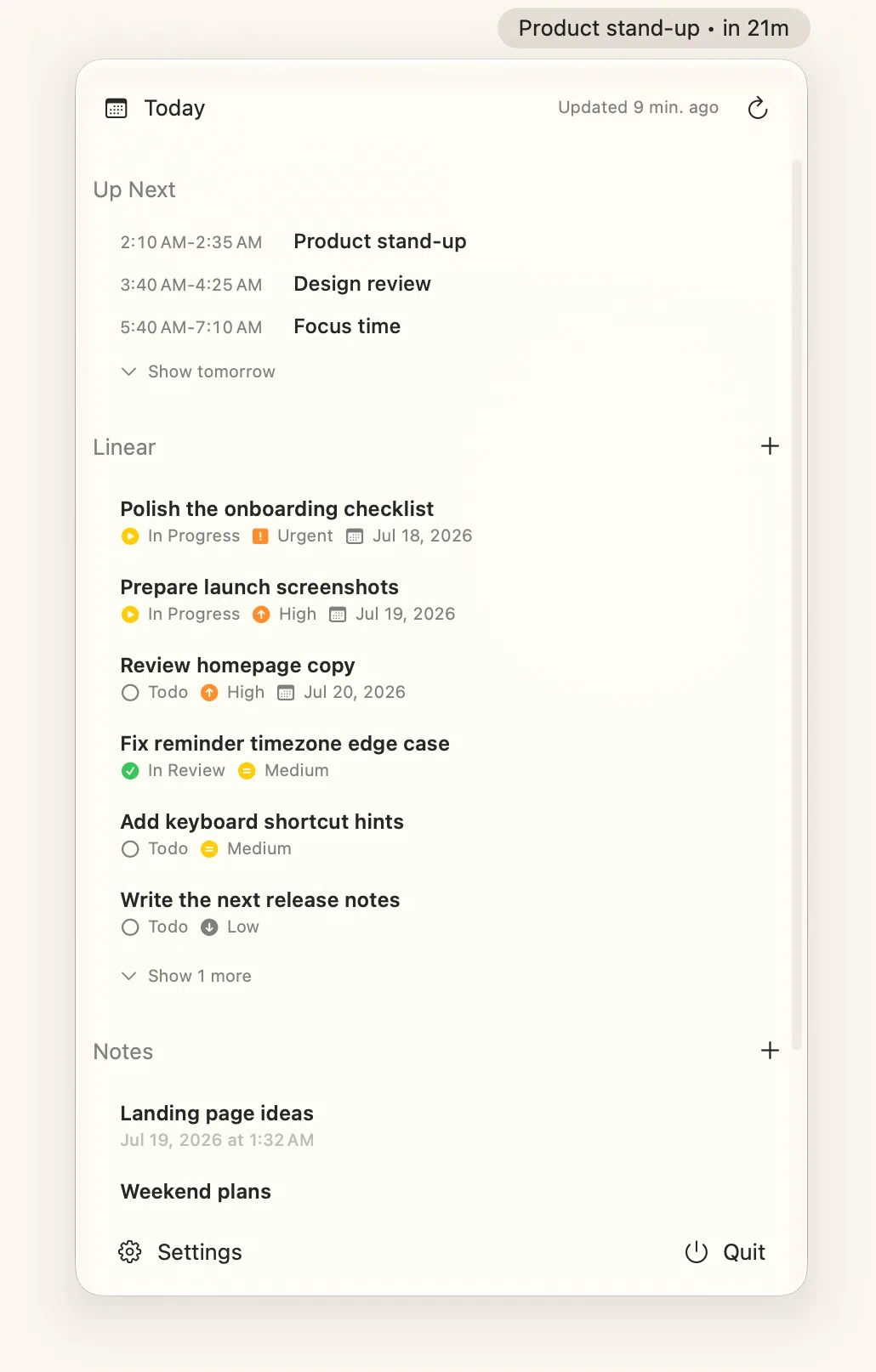
The whole app. Right in your menu bar.
Connected to



Connect multiple Google accounts, choose the calendars you want, and merge them into one agenda. Today’s timed events stay close, and tomorrow’s plan is one click away.

Switch between Linear and GitHub issues from the teams and repositories you choose. Filter to assigned or all-open work, then create issues or change status, labels, and assignees without a browser detour.

Create a quick note from anywhere with a global shortcut. The first line becomes its title, more notes stay one click away, and everything is stored only on this Mac.

Your day lives behind one menu bar click. Editors and searchable settings open as focused native windows, then Dayline slips out of the Dock when you close them.
Dayline refreshes calendars and issues in the background on a cadence you choose, and can install new versions automatically.
Create notes or Linear and GitHub issues from anywhere. Hover an issue for configurable shortcuts to copy, change status, labels, assignees, and more.
Swipe a Linear issue to cancel it or a note to delete it. Dayline asks before it commits the destructive action.
Flip one switch and Dayline is just there every morning, like it should be.
Hide calendar, issues, or notes entirely. Pick your Linear teams and GitHub repositories, filter assigned or all-open work, and sort the rest your way.
Native SwiftUI keeps Dayline lightweight and fast, using next to no system resources while it waits in your menu bar.
The current or next event stays visible beside the clock. Optional full-screen alerts count down, open the meeting in one click, and dismiss with Esc.
Dayline keeps the common actions close without turning your menu bar into another dashboard to manage.
Change status, labels, and assignees on Linear or GitHub issues with hover shortcuts. Linear also gets quick priority and due-date controls.

File a Linear or GitHub issue from anywhere. Choose the team or repository, assignee, labels, and provider-specific details without opening a browser tab.

Search every setting for accounts, calendars, issues, notes, alerts, shortcuts, updates, and launch at login from one native window.
Dayline has no account system, analytics, or syncing backend. Your Mac talks straight to Google, Linear, and GitHub over HTTPS, tokens live in the Keychain, and notes stay on your disk. Feedback is sent only when you submit it. Diagnostics stay local unless you explicitly attach them; attached archives are deleted after 30 days.
Read the details in the README →One tiny app for the things you check twenty times a day. Free and open source.